01 / ESTIMATES
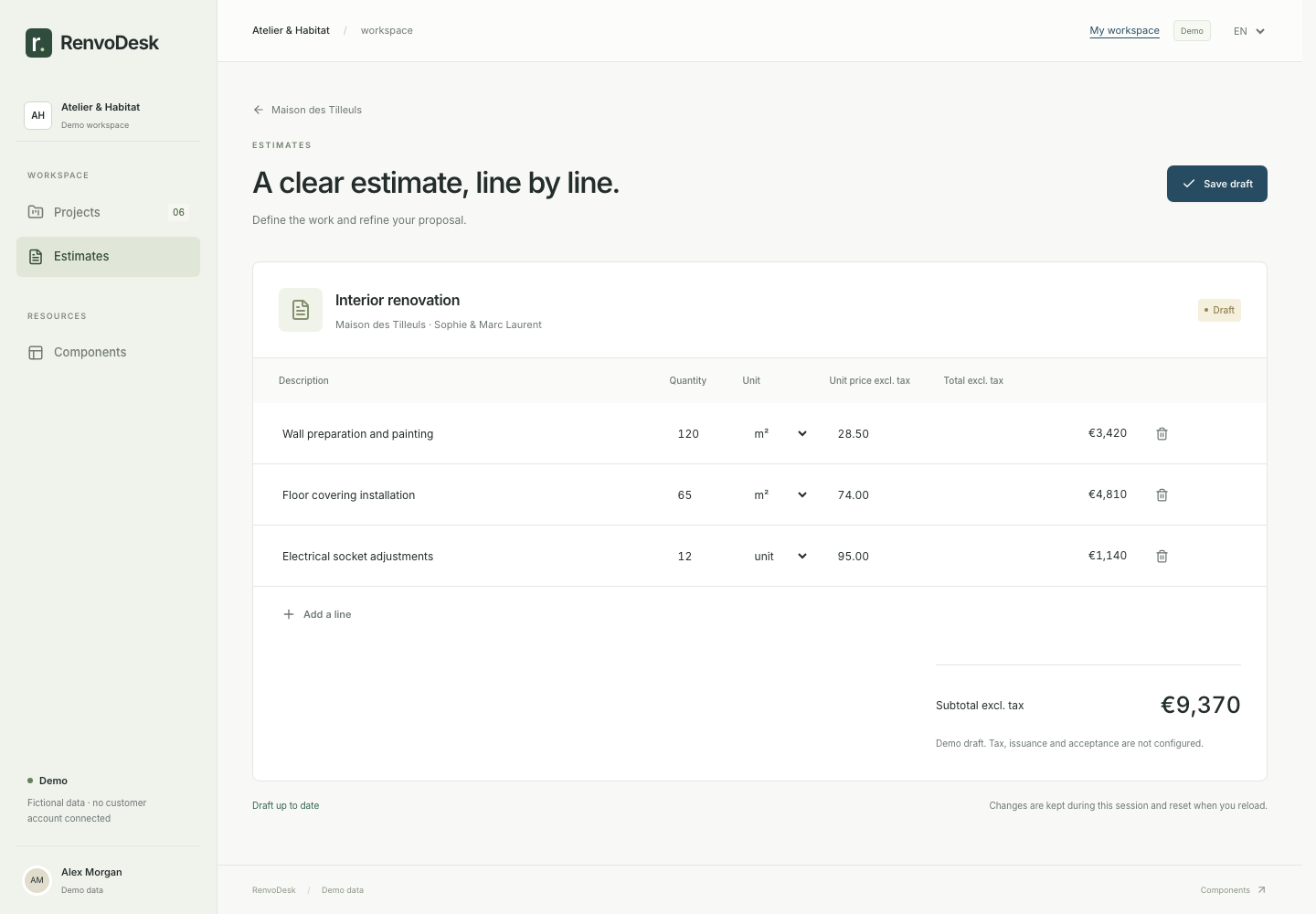
Price the work, line by line.
Demolition, plumbing, tiling, installation: break down quantities and prices. Prepare a PDF estimate and record the client’s decision.
PROJECT SOFTWARE FOR RENOVATION CONTRACTORS
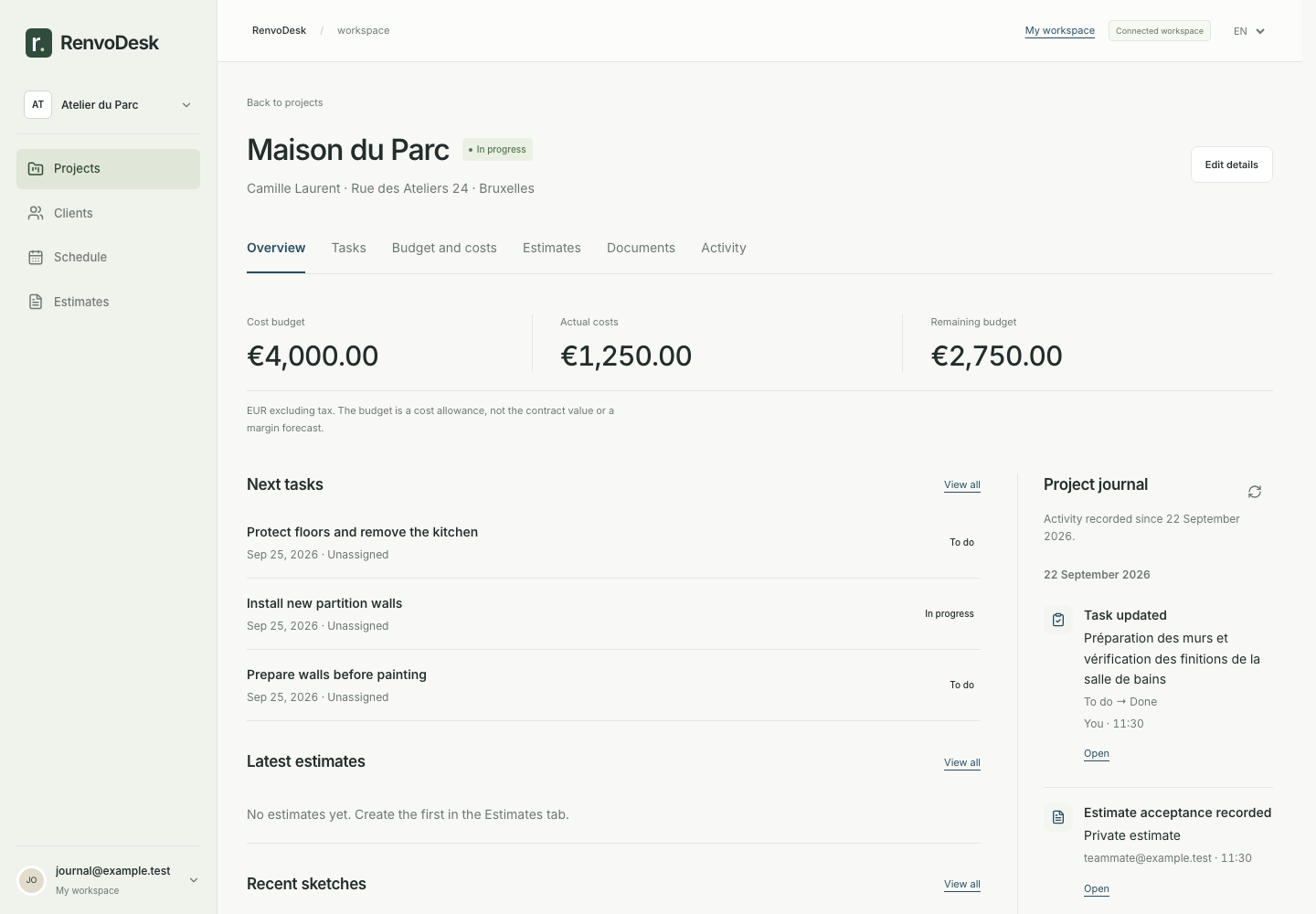
RenvoDesk brings your estimates, site tasks, expenses and project documents into one place. Built for renovation contractors, in the office and on site.
Get to know the product with fictional demo projects.
SEE THE TOOLS YOU WILL WORK WITH
Estimates in one place, photos in another, expenses somewhere else. Keep the context of every renovation together.
01 / ESTIMATES
Demolition, plumbing, tiling, installation: break down quantities and prices. Prepare a PDF estimate and record the client’s decision.
02 / TEAM AND SCHEDULE
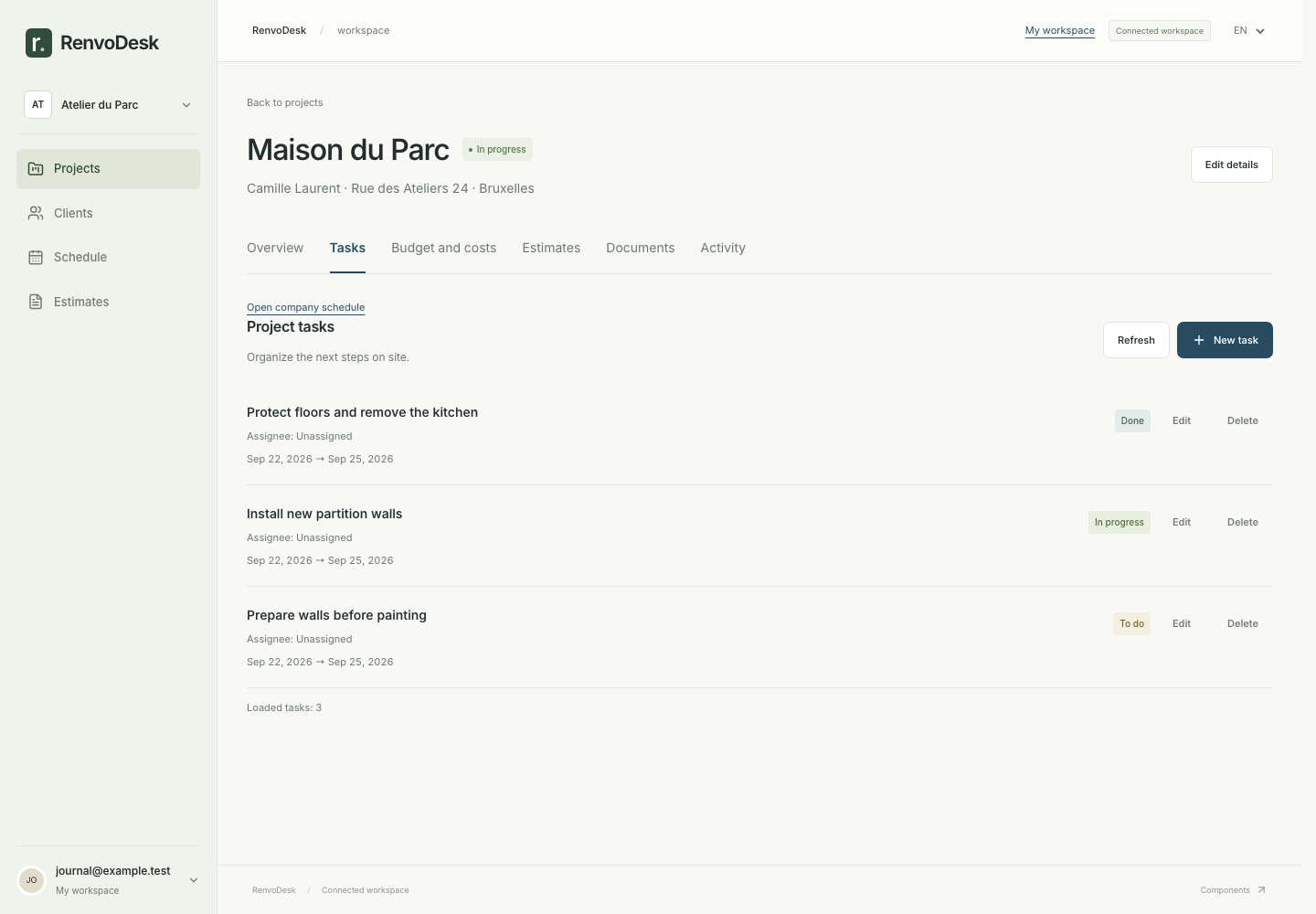
Create site tasks, assign them to your team and set due dates. See the company schedule when you need to plan across projects.
03 / BUDGET AND COSTS
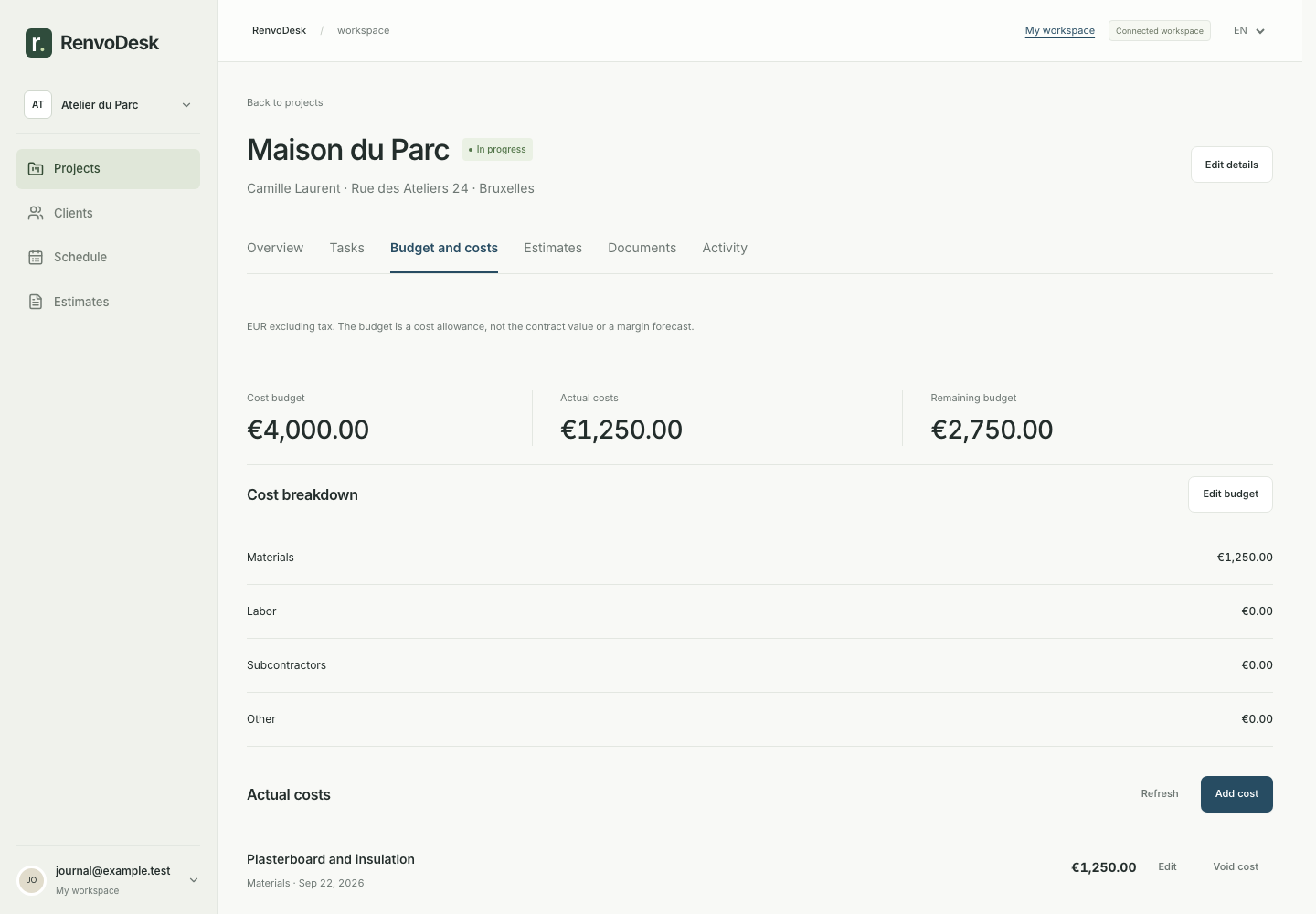
Record materials, labour and subcontractor expenses. See what remains of your cost budget, without confusing it with profit.
BUILT AROUND REAL RENOVATION WORK
Put demolition, materials and installation into an itemised estimate. Export the PDF to share with your client.
Assign plumbing, plastering and painting tasks. Keep due dates and site documents together for your team.
Record materials, labour and subcontractor expenses. Compare recorded spending with the cost budget you set.

Architectural illustration · generated image
GOOD WORK DOESN’T STAY BEHIND A DESK
On site, capture a photo or record a voice note. Back at your desk, find the documents, sketches and project history. Pick up right where you left off.
Explore the demo projectsFrom the office to the job siteBEFORE YOU GET STARTED
Renovation companies that want to bring project work together: clients, estimates, tasks, documents and costs. The interface is available in French and English.
Yes. The demo is available without an account and uses fictional projects. Changes reset on reload, and demo records remain separate from your saved workspace.
Yes. Company owners can invite members using a link. Members access projects, documents and tasks, and edit the tasks assigned to them. Estimates and costs remain owner-only.
Yes. The interface adapts to your phone for viewing projects and capturing photos or voice notes. An internet connection is required; offline synchronisation is not available.
You can export a PDF and record sending, acceptance or decline communicated elsewhere. Email delivery and electronic signatures are not available yet.
Not yet. RenvoDesk currently supports estimate preparation, cost budgets and expense tracking. Invoicing, payments and accounting are not integrated.
YOUR NEXT PROJECT STARTS HERE
A clear workspace for your projects, your team and the details that matter.
Create your workspace